
Your needs, this model
Does it fit your priorities?
How many internal positions does this profile provide?
Five E1.S NVMe positions. The M.2 adapter route uses the same positions, not extra bays; this is not a SATA HDD tray system.
Explore this need in the finder →Can one built-in Ethernet interface meet 10Gbps?
Yes. QNAP lists a 10GBASE-T port and a separate 2.5GbE port; neither adding them nor counting Thunderbolt as Ethernet gives one faster Ethernet link. Network components and workload determine actual transfer results.
Explore this need in the finder →Is a supported two-drive mirror possible?
The English-U.S. guide lists RAID 1 for two drives with one-drive failure tolerance. Verify media and create the array yourself; maintain a separate backup. This exact configuration is marked Legacy; include earlier models to compare it.
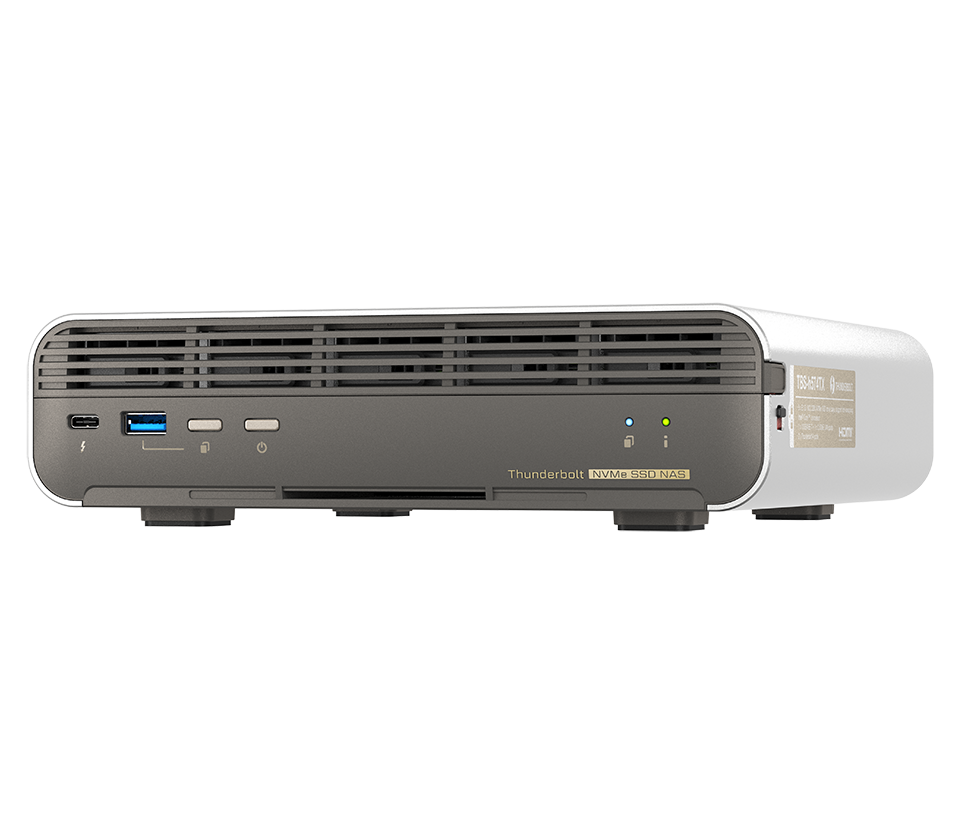
Explore this need in the finder →The TBS-h574TX-i3-12G is an individually listed earlier configuration of QNAP’s five-position all-flash NASbook family. QNAP’s English-U.S. guide lists this ordering profile with an Intel Core i3-1320PE, 12 GB onboard memory and no preinstalled drives; the rendered selector labels the profile Legacy. That label records QNAP’s lifecycle treatment, not whether a reseller happens to offer old stock. No exact U.S. retail suffix was established for this profile, so this review does not invent one. The family chassis image is only an enclosure reference and cannot identify the i3, memory or delivered package.
Earlier processor, same five-position storage concept
The i3 profile retains five E1.S NVMe positions on PCIe Gen 3 x2, with QNAP’s adapter route for compatible M.2 2280 NVMe media. These are five all-flash positions, not five SATA drive trays. Installing M.2 SSDs through adapters changes the media format inside those positions rather than adding bays. QNAP’s manual distinguishes bare systems from the two SSD-loaded packages, and the i3-12G is in the bare group. Check QNAP’s exact drive and firmware compatibility information; physical fit alone does not establish support. The manual also specifies thickness and heat-sink constraints, another reason not to assume any M.2 drive will work.
At 12 GB, this earlier profile has less starting memory than the current i5U-16G version and the earlier i5-16G version. Its 8-core/12-thread i3-1320PE is also a different processor tier from those profiles. These are the documented differences; they do not quantify application performance. For creators, small studios or SOHO use, the relevant question is whether the supported memory and processor profile meet the planned concurrency, editing, container or transcoding needs. Independent workload tests were not performed for this assessment, and QNAP’s family performance statements should not be treated as such tests.
Ethernet, Thunderbolt and system setup
The base network layout is shared across this family: one 10GBASE-T Ethernet jack, one 2.5GbE jack, and two Thunderbolt 4 data ports. The finder’s 10-Gbps condition concerns the fastest single Ethernet port, not the sum of unlike ports or the Thunderbolt path. The actual network must also include a suitable client, switching, cable and storage workflow. Thunderbolt is not a promise of particular file-transfer speeds; confirm host compatibility and the intended direct-connected workflow before buying around it.
QNAP documents QuTS hero preinstalled and QTS as an alternative installation. The English-U.S. manual identifies RAID 1 in its two-drive configuration table. That means a buyer can plan an owner-created mirror after choosing compatible drives and creating a storage pool; it does not mean the bare i3 profile comes with drives or a preconfigured array. Two positions are consumed by the mirror, while three remain for other roles. RAID 1 does not protect against deletion, ransomware, or loss of the whole NAS. Keep another backup copy and test restoration. Changing between QTS and QuTS hero requires treating the filesystems as separate setup choices and safeguarding the data before reinitialization.
What to verify before considering a Legacy unit
The i3-12G can remain relevant for a buyer who specifically wants this compact five-position all-flash platform and is willing to consider an earlier CPU/memory configuration. But lifecycle status increases the value of careful identity checks: confirm that a seller’s exact model label is the i3-12G profile, establish the warranty and support terms in writing, check package contents, and verify the date and condition of any installed SSDs if a listing claims a bundle. QNAP’s manual says this variant is diskless, so do not transfer the five-drive bundle contents from an i5 configuration to it. The product page’s 9.6 TB and 19.2 TB package totals refer to different five-drive packages and are not usable-capacity guarantees after RAID.
For a requirement limited to five bays, one 10GbE port and a documented two-drive RAID 1 setup, this configuration clears the written hardware conditions. A buyer needing expandability should note that the onboard memory is not listed as upgradeable; anyone requiring a current-reference model should use the history filter to exclude this legacy profile. The purchase decision still depends on exact drive support, warranty, included parts, and the network and backup plan—not on a shared family name or an old performance claim.
Key specifications
Key details at a glance
| Internal drive bays | 5 bays |
|---|---|
| Documented internal drive media | E1.S NVMe SSD / M.2 2280 PCIe NVMe SSD via compatible adapter |
| Built-in Ethernet ports | 1 x 10GBASE-T Ethernet / 1 x 2.5GbE Ethernet / 2 x Thunderbolt 4 data-only |
| Fastest individual Ethernet port | 10 Gbps |
| Installed system memory | 12 GB |
| Listed storage arrangements | RAID 1 (two-drive arrangement; owner chooses media and creates storage) |
| Processor | Intel Core i3-1320PE |
| CPU cores | 8 |
| CPU threads | 12 |
| Installed memory type | Onboard, non-expandable |
Use the exact model’s instructions for operating limits, supplied equipment and version differences.
Sources for this review
Sources for this assessment
- QNAP U.S. Tower/SMB grid — TBS-h574TX family card
- QNAP U.S. Official Store SMB Desktop page 3
- TBS-h574TX — QNAP U.S. product page
- TBS-h574TX profiles — QNAP U.S. comparison
- Rendered TBS-h574TX hardware selector observation
- TBS-h574TX User Guide, English U.S., v5 (2025-04-09)
- TBS-h574TX official family chassis image

Check your setup before choosing a NAS
Use the finder to narrow documented desk/shelf or rack formats, internal-bay minimums, a single Ethernet-port rating and optional redundancy requirements.