
Your needs, this model
Does it fit your priorities?
Can the QAI-h1290FX meet a 12-bay, 25GbE and two-drive-mirror screen?
Yes as a documented capability screen: QNAP's exact QAI-h1290FX-7302P-128G U.S. selector lists twelve internal 2.5-inch SSD positions, two built-in 25GbE SFP28 ports, and a QuTS hero RAID 1 option that can be configured with two selected disks. The base is shipped without SSDs; check each exact drive model, capacity and firmware against QNAP's current compatibility list, configure the mirror separately, and plan an independent backup.
Explore this need in the finder →Does the QAI-h1290FX include an NVIDIA GPU or a ready-to-run private AI stack?
The QNAP product page calls it GPU-ready and names configurable RTX PRO Blackwell support, while the manufacturer's package list names the NAS and basic accessories but no GPU. Treat the accelerator as a separate configuration question: confirm the exact compatible card, required slot width and clearance, PSU/cooling constraints, firmware, software deployment and whether a seller package actually includes it. No LLM, RAG, inference speed or one-click result was tested here.
Explore this need in the finder →Can any 2.5-inch SATA or U.2 SSD be installed?
No. QNAP lists the 2.5-inch SATA SSD and U.2 NVMe PCIe Gen4 x4 types, but that does not validate every drive, capacity, firmware or firmware-generation combination. The system is listed without data SSDs; check the model-specific compatibility list and obtain the exact drive plan before ordering.
Explore this need in the finder →Will dual 25GbE deliver 25Gb/s to one workstation?
The ports have a 25GbE SFP28 link rating, but that is not a measured file-copy result. The switch, transceiver or DAC, peer NIC, cable path, protocol, SSD setup and workload constrain the end-to-end path. Two ports do not automatically create one 50GbE client connection.
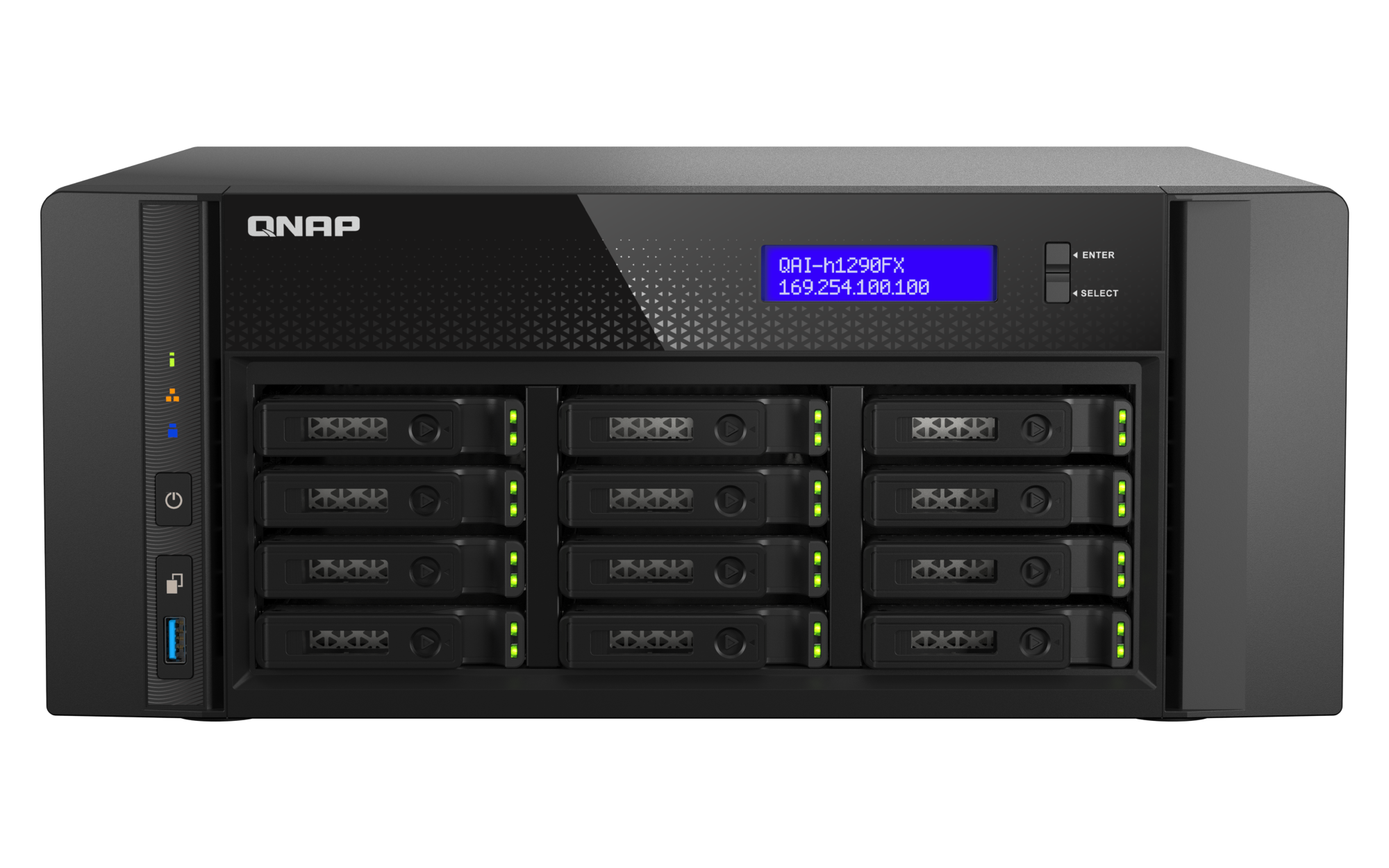
Explore this need in the finder →The QNAP QAI-h1290FX is a tower NAS built around an edge-compute brief: twelve 2.5-inch U.2 NVMe/SATA SSD positions, an AMD EPYC processor, 128 GB of ECC memory and built-in 25GbE, with expansion space for a GPU. This is a source-based assessment, not a hands-on test. It follows QNAP's U.S. selector configuration QAI-h1290FX-7302P-128G; I did not verify a matching U.S. retail suffix or seller package. QNAP describes the model as GPU-ready, but its own listed package contents include no GPU or data SSDs, so the project still requires component selection and setup.
A compute-oriented tower, not an ordinary home NAS
QNAP positions the QAI-h1290FX for local AI inference, private retrieval-augmented search, virtualization and other compute-heavy work. It is a specialist option for a team that wants storage and expandable compute in one appliance, not a simple home backup box. The product page names QuTS hero and ZFS, while QNAP's software table also shows a separate QTS profile. Those are distinct operating-system and filesystem choices, not two simultaneous modes. Confirm which OS is supplied for the exact order.
QNAP's public material discusses Container Station templates and NVIDIA RTX PRO Blackwell support, including an RTX PRO 6000 Blackwell Max-Q option. Those statements describe a supported direction, not a completed AI build. The GPU is not in the manufacturer's listed package contents. A buyer still has to match the card to the supported configuration, slot width and length, power and cooling limits, firmware and applications. QNAP also publishes model-specific Ollama and concurrent vLLM benchmark tables for an RTX PRO 6000 Blackwell Max-Q test configuration, including token-rate results for named models. Those are manufacturer-reported figures, not independently reproduced tests or a forecast for a different GPU, model or workload; they do not establish a turnkey private-data outcome.
Twelve small-form-factor SSD positions need a drive plan
The hardware selector lists twelve hot-swappable 2.5-inch positions for U.2 NVMe PCIe Gen4 x4 SSDs or SATA SSDs. That is a meaningful count for an all-flash storage layout, but it is not twelve included drives and it is not a capacity estimate. QNAP says the system ships without SSDs. Before a quote is approved, match the exact model, capacity and firmware of every drive to QNAP's current compatibility list; the interface label alone does not establish compatibility or endurance.
QNAP's exact software table lists RAID 1 for the eight-bay-and-larger tier; its QuTS hero setup guidance shows selecting two disks for a RAID 1 pool. That is a buyer-created arrangement using two of twelve positions, not a shipped array. RAID 1 can help when one member fails, but it does not protect against deletion, compromised credentials, ransomware, chassis failure or site loss. Keep a separate backup and test restores.
25GbE helps only when the rest of the path is ready
QNAP lists two 25GbE SFP28 SmartNIC ports and two 2.5GbE RJ45 ports. The questionnaire compares the fastest individual built-in port, so this exact configuration clears a 25Gbps single-port floor. That is a link-rating fact, not an expected file-copy speed. The switch, peer NIC, optics or DAC, cabling, network design, protocol, storage pool, clients and concurrent workload all constrain the path. Two 25GbE ports are not automatically one 50GbE connection to a workstation.
Four PCIe Gen4 slots provide a documented expansion path, and QNAP describes 100GbE as an option via a card. Check the card's link width, length and adjacent-slot clearance: QNAP lists different maximum dimensions for slots 1/2 and 3/4 and notes that a wider card may consume the next slot. The slots are not interchangeable free capacity.
Installation, power and package checks
This is a desktop-class tower, not the 1U or 4U rack chassis some high-bay buyers may expect. QNAP lists dimensions of 5.91 × 14.49 × 14.25 inches before any foot-pad height, a net weight of 22.93 lb and one 750 W, 100–240 V supply. Leave space for air movement and service access; the published supply rating is not a measurement of typical power use, and the page provides no independent noise, temperature or workload power results. The installation should account for the selected GPU, installed drives and their cooling needs as well as the base chassis.
The manufacturer package list names the NAS, an Ethernet cable, power cord, 48 flat-head screws, two drive-tray keys and a quick-install guide. It does not name a GPU or data SSDs. That manufacturer's list cannot certify what a seller bundles. Ask the seller or integrator to put the exact model/configuration, included GPU and SSDs, accessories, warranty and support terms in writing. QNAP lists a five-year standard warranty for the configuration, but confirm the coverage and service terms applicable to the offered unit.
Where it fits among the reviewed NAS choices
The QAI-h1290FX is the more specialized choice in a comparison with the reviewed QNAP TS-h1090FU and TS-h2490FU: those two are rackmount configurations with ten and twenty-four positions respectively, while the QAI is a twelve-position tower explicitly presented for GPU-assisted edge computing. A 25GbE rating appears across these models, but their drive counts, chassis, operating plans and installation needs are not interchangeable. Choose the QAI only when its tower format and documented expansion path solve a real compute-plus-storage need; for rack-only storage, compare the rack models' fit and compatible drive options instead.
Bottom line: shortlist it for an organization with a concrete local-compute workload and staff to select SSDs, plan networking and engineer a GPU installation. It is a poor shortcut for buyers seeking a pre-populated NAS or finished AI stack. Research supports twelve bays, 25GbE, the 7302P/128G configuration and a possible RAID 1 arrangement. QNAP's own benchmark tables report configuration-specific results for its RTX PRO 6000 setup, but they are not independent tests or a performance forecast for a different installation. Research does not establish a U.S. seller SKU, included GPU, exact compatible drives, independent noise or thermal performance, current offer or reseller box contents.
Key specifications
Key details at a glance
| Internal drive bays | 12 bays |
|---|---|
| Documented internal drive media | 2.5-inch SATA SSD / 2.5-inch U.2 NVMe PCIe Gen4 x4 SSD |
| Built-in Ethernet ports | 2 x 25GbE SFP28 SmartNIC / 2 x 2.5GbE RJ45 |
| Fastest individual Ethernet port | 25 Gbps |
| Installed system memory | 128 GB |
| Maximum listed memory | 1024 GB |
| Listed storage arrangements | QuTS hero: RAID 1, 5, 6, 10, 50, 60, Triple Mirror, Triple Parity / QTS: RAID 1, 5, 6, 10, 50, 60 |
| USB 3.2 Gen 1 ports | 3 |
| Hardware warranty | 5 years |
| Data drives included in listed package | No |
| Processor | AMD EPYC 7302P |
| CPU cores | 16 |
| CPU threads | 32 |
| Installed memory type | DDR4 ECC RDIMM |
Use the exact model’s instructions for operating limits, supplied equipment and version differences.
Sources for this review
Sources for this assessment
- QNAP U.S. QAI-h1290FX product page
- QNAP U.S. QAI-h1290FX hardware specification selector
- QNAP U.S. QAI-h1290FX software specification profiles
- QNAP U.S. QAI-h1290FX package contents and optional accessories
- QNAP QAI-h1290FX Edge AI landing page
- QNAP Getting started with NAS storage
- QuTS hero h5.2.x User Guide
- QNAP QAI-h1290FX compatibility entry point
- QNAP U.S. QAI-h1290FX main product-page image

Check your setup before choosing a NAS
Use the finder to narrow documented desk/shelf or rack formats, internal-bay minimums, a single Ethernet-port rating and optional redundancy requirements.