
Your needs, this model
Does it fit your priorities?
How many internal SATA drive bays does the AS6810T have, and do the M.2 slots count?
ASUSTOR specifies ten native positions for 3.5-inch SATA HDDs, 2.5-inch SATA HDDs or 2.5-inch SATA SSDs. The four M.2 2280 NVMe slots are separate, so this model meets a ten-bay minimum but not an eleven-bay minimum. Its 180-TB figure is raw arithmetic for ten 18-TB drives, not usable capacity or included storage.
Explore this need in the finder →What is the fastest individual built-in Ethernet port on the AS6810T?
The exact hardware table lists two individual 10-GbE ports and two 5-GbE ports. One built-in port meets a 10-Gbps minimum, but not 10.5 Gbps. Multiple sockets cannot be added into one faster port, and the link rating is not promised file-transfer speed.
Explore this need in the finder →Can the current-reference AS6810T satisfy a ten-bay, 10-GbE and two-drive-redundancy screen together?
Yes, as a possible owner-created arrangement: ten SATA trays are native, a listed RAID 1 volume can use two buyer-supplied compatible drives, and one built-in 10-GbE port is available in the same enclosure. Eight SATA positions remain open, with four separate M.2 slots. The package lists no data drives or initialized array; check exact drive firmware and the whole network path, and keep another backup because a mirror is not one.
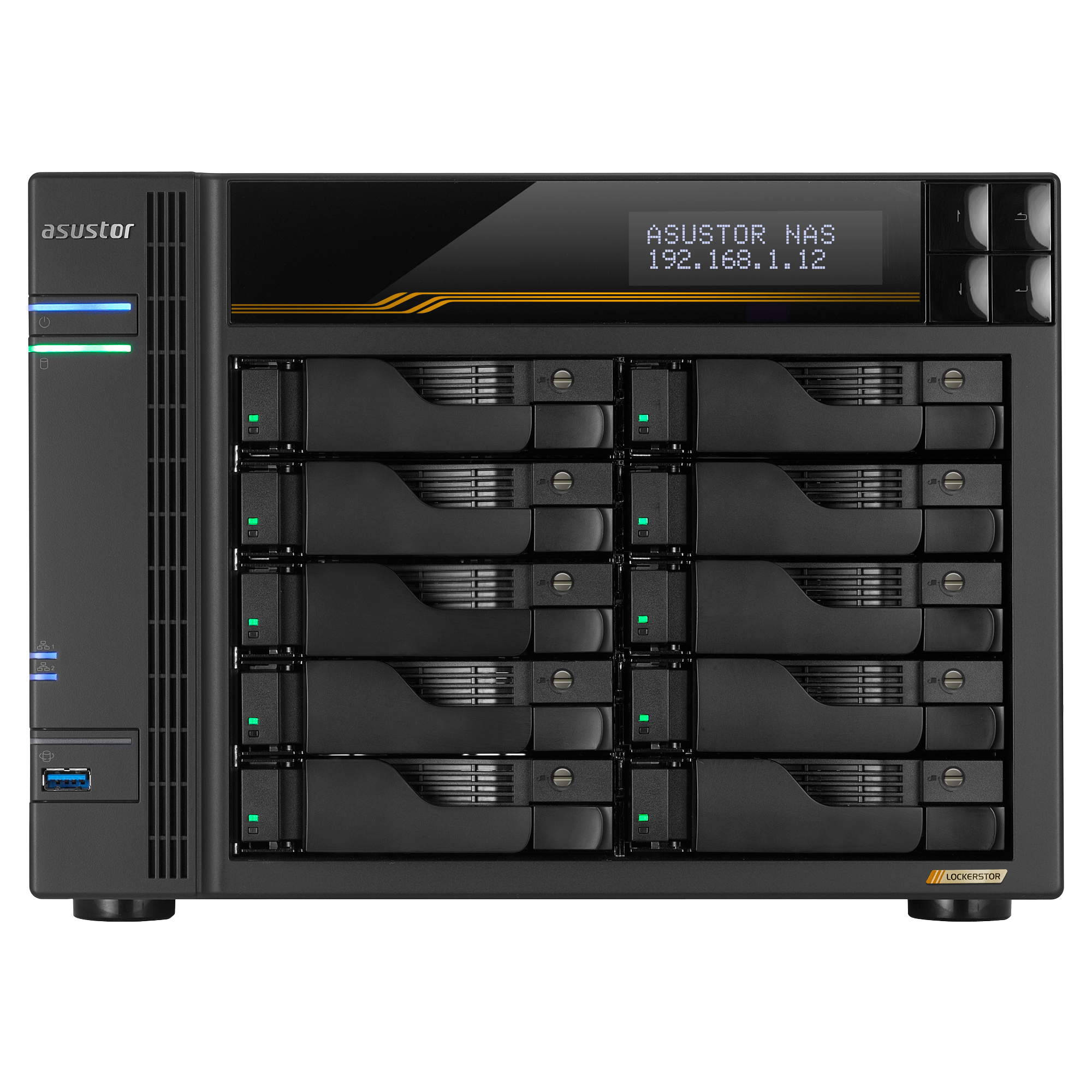
Explore this need in the finder →The ASUSTOR LOCKERSTOR 10 Gen3 (AS6810T) is a substantial desktop NAS with ten internal SATA positions, four separate M.2 NVMe slots and four built-in Ethernet ports. Its port ratings are not expected transfer speeds, M.2 slots are not SATA trays, and the listed package has no data drives or configured array. This is a documentation-based assessment, not a hands-on test or a claim about a particular seller's stock.
Ten SATA positions, plus a separate NVMe layer
ASUSTOR identifies ten internal 3.5-inch SATA HDD, 2.5-inch SATA HDD or 2.5-inch SATA SSD positions. Separately, the AS6810T has four M.2 2280 NVMe slots using PCIe 4.0 x1. Those M.2 sockets add another storage or caching path, not four more front trays and not a reason to count the chassis as a fourteen-bay SATA NAS. If your decision starts with a minimum number of internal HDD bays, use ten as the chassis number and treat expansion equipment as a separate future purchase.
The specification's 180 TB internal raw-capacity example is arithmetic for ten 18 TB drives; ASUSTOR says capacity varies with RAID type. It is not usable volume space, approval of a particular drive and firmware, or included storage. A separately listed expansion unit can raise the total to 22 bays, but its positions are external, not native trays in this tower. Work out usable capacity only after choosing compatible drives and an array layout.
Fast individual ports still need a fast path
The hardware table lists two individual 10-GbE ports and two 5-GbE ports, so its strongest single-port rating is 10 Gbps. Four sockets do not combine into one 30-Gbps port; link aggregation or SMB Multichannel depends on NAS setup, switch/router, client adapters, cabling and workload. Storage can be the limiting part of the path even when endpoints negotiate a fast link.
That distinction matters when comparing this model with a cheaper 2.5-GbE NAS. If only one workstation needs a faster connection, verify the workstation's network adapter and the switch path before paying for multi-gigabit hardware. If there are several clients, separate ports can be useful, but they remain separate links with configuration and peer-device requirements.
A mirror is a possible setup, not a supplied feature
ASUSTOR lists RAID 1, and its calculator notes that one RAID 1 volume uses at most two drives. One plausible owner-created plan is a two-drive SATA mirror: it uses two of the ten native trays and leaves eight unoccupied. The four M.2 positions remain separate from that SATA pair. This example is a way to reason about the model's options, not a ready-made array in the box. The package page lists the NAS unit, Quick Installation Guide, AC cord, four Cat 6a 10-GbE cables and forty screws each for 3.5-inch and 2.5-inch drives; it lists no data drives or initialized volume.
A mirror can keep a volume available through a supported member-drive failure, but it does not protect against accidental deletion, theft, fire, malware, controller trouble or a second failure during repair. Keep a separate, recoverable backup with a different failure path. Before buying drives, check the exact model and firmware against ASUSTOR's current compatibility material; the evidence reviewed here establishes supported media categories, not a certified AS6810T drive pair.
Mind the M.2 and optional-card trade
The four M.2 positions support storage and caching, but ASUSTOR's AS68 installation material documents a PCIe-mode tradeoff: the optional 10-GbE card and the M.2 daughterboard cannot operate as though both occupied the same PCIe path. The manufacturer utility switches between M.2 and PCIe modes, and installation of the optional network card requires removing the daughterboard. The AS6810T already has two built-in 10-GbE ports, so the optional card is not needed for the one-port arrangement assessed here. It is a constraint to check only if your future expansion plan depends on that card and the four M.2 positions at the same time.
The two USB4 Type-C ports are also easy to misunderstand. ASUSTOR advertises up to 40 Gbps per port and support for external storage devices, but the model information says host-to-host connectivity is unsupported. This is not a direct-attached USB4 link from a computer to the NAS. Buy it as network storage, not as a DAS replacement based on the USB-C connector.
Size, package and status checks
The published chassis dimensions are 215.5 × 293 × 230 mm (H × W × D), with a listed weight of 6.55 kg and a 250 W internal power supply. Measure the shelf, ventilation space and cable route rather than relying on a front-view photograph. The status table currently describes AS6810T as generally available and supported, with a three-year warranty entry. That establishes its current-reference status for this library, not an exact U.S. seller SKU, retailer inventory, channel warranty or the contents of a marketplace bundle.
Who should keep it on the shortlist?
On the evidence, the AS6810T fits a buyer who needs ten native SATA positions, separate M.2 storage and a network path that can use a built-in 10-GbE port. It can support a two-drive mirror and leave most trays open. Against that, it is a large diskless tower; drive fit and seller package need checking; the M.2/optional-card mode constrains expansion; and USB4 is not a direct host connection.
For a smaller household backup job, fewer bays and a slower network may be more sensible. An 11-bay minimum exceeds this chassis despite its M.2 slots; a one-port requirement above 10 Gbps also exceeds its built-in Ethernet. Check the exact name, included items, drive list, returns and warranty with the seller.
Key specifications
Key details at a glance
| Internal drive bays | 10 bays |
|---|---|
| Documented internal drive media | 3.5-inch SATA HDD / 2.5-inch SATA HDD / 2.5-inch SATA SSD |
| Built-in Ethernet ports | 2 x built-in 10-Gigabit Ethernet (10G/2.5G/1G/100M each) / 2 x built-in 5-Gigabit Ethernet (5G/2.5G/1G/100M each) |
| Fastest individual Ethernet port | 10 Gbps |
| Installed system memory | 16 GB |
| Maximum listed memory | 64 GB |
| Listed storage arrangements | Single / JBOD / RAID 0 / RAID 1 / RAID 5 / RAID 6 / RAID 10 / RAID 1 + spare drive / RAID 5 + spare drive / RAID 6 + spare drive / RAID 10 + spare drive |
| Dimensions (H × W × D) | 215.5 x 293 x 230 mm (H x W x D) |
| Weight | 6.55 kg |
| Hardware warranty | 3 years |
| Data drives included in listed package | No |
| M.2 NVMe slots | 4 |
| M.2 SSD storage-pool support | Yes |
| Processor | AMD Ryzen Embedded V3C14 |
| CPU cores | 4 |
| Installed memory type | 16 GB ECC DDR5-4800 SO-DIMM, one 16-GB module pre-installed |
Use the exact model’s instructions for operating limits, supplied equipment and version differences.
Sources for this review
Sources for this assessment
- Preserved ASUSTOR Home/SOHO category observation for LOCKERSTOR 10 Gen3
- ASUSTOR product-list entry for LOCKERSTOR 10 Gen3 (AS6810T)
- ASUSTOR LOCKERSTOR 10 Gen3 (AS6810T), product ID 89
- ASUSTOR AS6810T exact hardware and software specification, product ID 89
- ASUSTOR AS6810T manufacturer package contents, product ID 89
- ASUSTOR LOCKERSTOR 10 Gen3 (AS6810T) English datasheet
- ASUSTOR AS6810T product datasheet page, product ID 89
- ASUSTOR AS68XXT English Quick Installation Guide, applicable models and hardware installation
- ASUSTOR product support-status table, AS6810T row
- ASUSTOR RAID calculator, including AS6810T and two-drive RAID 1 limit
- ASUSTOR NAS drive compatibility list and drive guidance
- ASUSTOR AS68 Series M.2 SSD Drive Installation Guide
- ASUSTOR NAS PCIe Mode Switcher, AS68 Gen 3 support and M.2/PCIe mode behavior
- Official ASUSTOR AS6810T product image, exact model image path

Check your setup before choosing a NAS
Use the finder to check bay count, the network link you need, and whether a documented two-drive redundant arrangement is essential.