
Your needs, this model
Does it fit your priorities?
Can a two-drive RAID 1 arrangement be planned for this model?
Yes, as an owner-created plan: ASUSTOR lists RAID 1 for the AS5402T, and its calculator caps one RAID 1 volume at two drives. A buyer-selected, compatibility-checked pair would use both native SATA bays. The package list does not include drives or a configured array, initialization erases disk data, and a mirror is not a separate backup.
Explore this need in the finder →Do its two network sockets count as one 5-Gbps Ethernet port?
No. The U.S.-English datasheet lists two separate 2.5-Gigabit Ethernet ports. ASUSTOR's conditional up-to-5-Gbps SMB Multichannel claim concerns multiple links and compatible endpoints; the finder records the maximum rating of one built-in port as 2.5 Gbps, not an observed transfer rate.
Explore this need in the finder →Does the four-slot M.2 layout make this a six-bay SATA NAS?
No. ASUSTOR lists two 2.5/3.5-inch SATA drive bays and four separate M.2 PCIe NVMe 2280 positions. The M.2 slots can be used for cache, storage or both according to the manufacturer, but they do not change the two-bay SATA count used by this finder.
Explore this need in the finder →What does the listed AS5402T package include for drive installation?
ASUSTOR's exact product package page lists the NAS, quick guide, power cord and adapter, two Cat 5e LAN cables, eight 2.5-inch-drive screws and a cord bracket. It does not list data drives or a prepared volume; retailer-added package items remain a separate check.
Explore this need in the finder →How does this compare with the two-bay AS5202T profile?
Both reviewed profiles have two SATA bays and two individual 2.5-Gigabit Ethernet links. The AS5402T U.S.-English datasheet lists 4 GB memory with a 16-GB ceiling and four M.2 2280 positions; the AS5202T dossier lists 2 GB base memory with an 8-GB ceiling. These are documented hardware differences, not an independent speed comparison.
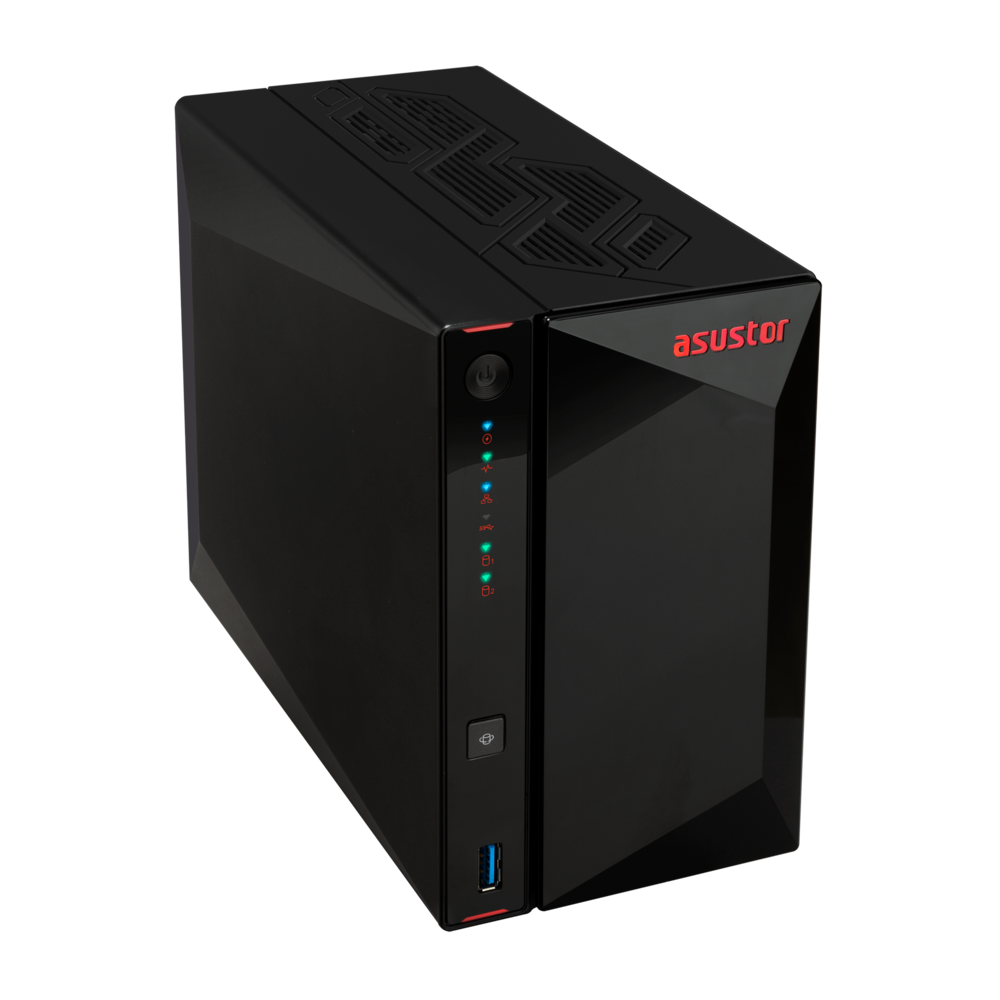
Explore this need in the finder →The ASUSTOR NIMBUSTOR 2 Gen2 (AS5402T) is a two-bay desktop NAS with an unusual split: two 2.5- or 3.5-inch SATA positions alongside four M.2 2280 NVMe slots. That can suit a mixed SATA-and-flash storage plan, but the M.2 sockets do not turn it into a six-bay SATA NAS. This source-based assessment uses manufacturer specifications and setup documents; it is not a hands-on test or measured performance review.
Count the SATA bays separately from M.2
ASUSTOR’s U.S.-English datasheet lists two SATA III bays and four M.2 PCIe NVMe positions. It describes the M.2 slots as usable for caching, storage, or both. The model QIG points buyers to a separate compatibility list for SATA disks and M.2 SSDs. Those connectors are different interfaces and should stay separate in a bay-count decision: the finder counts two native SATA bays, not six.
The distinction matters before choosing capacity. A two-drive SATA RAID 1 plan uses both SATA bays; the M.2 positions are not automatically part of that SATA mirror. The manufacturer package list includes no drives or configured pool. Decide whether M.2 drives are for cache, a separate pool, or another supported purpose, then check each exact module and firmware in ASUSTOR’s compatibility material. Slot count alone does not certify every SSD, cooling condition, or arrangement.
Two-bay RAID 1 is an owner-created plan
The AS5402T’s listed SATA volume types include RAID 1. ASUSTOR’s calculator names this model and caps a single RAID 1 volume at two drives. A buyer can therefore consider a pair of compatible disks in a mirror, but it occupies both native SATA positions and leaves no SATA bay open for a third disk. The standard package list does not include data drives or a preconfigured volume.
A mirror may keep a volume available after one member drive fails; it does not protect against deletion, malware, theft, fire, controller failure, or other data-loss events. Keep an independent recoverable backup. The quick guide warns that initialization erases data, so back up drives before creating a pool. Confirm the exact drive model and firmware against ASUSTOR’s compatibility list rather than relying only on interface, capacity, or a seller’s description.
Two 2.5-Gigabit ports are not one 5-Gbps port
The U.S.-English specification lists two individual 2.5-Gigabit Ethernet ports. Each meets a 2.5-Gbps one-port link-rating threshold; neither is a single 5-Gbps port. ASUSTOR advertises up to 5 Gbps through SMB Multichannel with compatible equipment. Client, switch or router, network setup, cables, storage and workload all affect results. No file-transfer speed is measured or promised here, and a 3.0-Gbps minimum for one built-in port is not met by this profile.
For a single-client connection, identify the slowest component in the path. A Gigabit-only switch or client will not become 2.5-Gigabit because the NAS has a faster port. For multiple links, verify that the particular client, switch and SMB setup support the intended arrangement; do not assume the two port ratings automatically add together.
Other hardware differences to weigh
ASUSTOR lists a quad-core Intel Celeron N5105, 4 GB of DDR4-2933 memory, and a maximum memory configuration of 16 GB. The QIG cautions that third-party memory is not guaranteed and recommends that owners unfamiliar with upgrades avoid installing modules themselves. Hardware also includes HDMI 2.0b output, three USB 3.2 Gen 2 ports, and a 65-W AC adapter. HDMI may suit a local-display plan, but app and codec support still matter; the connector alone does not validate a particular media workflow.
Compared with the reviewed two-bay NIMBUSTOR 2 (AS5202T), this profile lists 4 GB of base memory with a 16-GB ceiling rather than 2 GB with an 8-GB ceiling. Both have two SATA bays and two individual 2.5-Gigabit links. AS5402T also lists four M.2 positions. These are documented hardware differences, not an independent speed comparison. If more native SATA positions matter most, the four-bay NIMBUSTOR 4 (AS5304T) has a different layout: a two-drive mirror can leave two of its four SATA positions open.
Package and purchase checks
ASUSTOR’s exact package page lists the NAS, quick guide, power cord and adapter, two Cat 5e LAN cables, eight screws for 2.5-inch HDD installation, and a cord bracket. It does not list data drives. Sellers may add a bundle, so confirm the contents of the exact AS5402T offer. The manufacturer support-status table currently lists the model as generally available and supported with a three-year warranty entry; this is not proof of seller stock, warranty transfer, start date, or return terms.
The listed dimensions are 170 × 114 × 230 mm (H × W × D), and weight is 1.71 kg. Leave room for cables and airflow; the QIG says not to block the vents. Before ordering, confirm the exact NIMBUSTOR 2 Gen2 model, drive and M.2 compatibility, seller package, warranty path, and the network equipment needed for the connection you actually want.
Who should compare it with alternatives
The AS5402T is a plausible candidate when two SATA bays, an owner-created two-drive mirror, one 2.5-Gbps port, and optional M.2 planning describe the intended build. Its appeal is the number of storage interfaces and documented network options, not verified throughput. Compare it with a simpler two-bay unit if you will not use M.2 or HDMI, and a four-bay model if native SATA expansion matters more. Leave unresolved drive, package, and network details open rather than assuming they are included or approved.
Specifications and support status here are attributed to ASUSTOR’s cited material and were checked on 2 November 2026. This review does not claim ownership, testing, benchmark results, any specific drive/firmware approval, a U.S. retail SKU, seller additions, live availability, or price.
Key specifications
Key details at a glance
| Internal drive bays | 2 bays |
|---|---|
| Documented internal drive media | 3.5-inch SATA HDD / 2.5-inch SATA HDD / 2.5-inch SATA SSD |
| Built-in Ethernet ports | 2 x built-in 2.5-Gigabit Ethernet (2.5G/1G/100M each) |
| Fastest individual Ethernet port | 2.5 Gbps |
| Installed system memory | 4 GB |
| Maximum listed memory | 16 GB |
| Listed storage arrangements | Single / JBOD / RAID 0 / RAID 1 |
| Dimensions (H × W × D) | 170 x 114 x 230 mm (H x W x D) |
| Weight | 1.71 kg |
| Hardware warranty | 3 years |
| Data drives included in listed package | No |
| M.2 NVMe slots | 4 |
| M.2 SSD storage-pool support | Yes |
| Processor | Intel Celeron N5105 |
| CPU cores | 4 |
Use the exact model’s instructions for operating limits, supplied equipment and version differences.
Sources for this review
Sources for this assessment
- ASUSTOR NIMBUSTOR 2 Gen2 (AS5402T), product ID 81
- ASUSTOR AS5402T hardware specification, product ID 81
- ASUSTOR AS5402T U.S.-English datasheet
- ASUSTOR NIMBUSTOR 2 Gen2 (AS5402T) Global-English datasheet
- ASUSTOR AS54XXT Quick Installation Guide, English, version 4.2.0407
- ASUSTOR AS5402T package contents, product ID 81
- ASUSTOR product support-status table
- ASUSTOR NAS RAID calculator
- ASUSTOR drive compatibility selector
- Official ASUSTOR AS5402T model image

Check your setup before choosing a NAS
Use the finder to check bay count, the network link you need, and whether a documented two-drive redundant arrangement is essential.