
Your needs, this model
Does it fit your priorities?
Can I use two drives for a mirror and keep bays open?
Yes, the model-specific tables list RAID 1, and ASUSTOR's RAID calculator states a RAID 1 volume supports at most two drives. With two buyer-supplied, equal-capacity drives checked against the current AS1204T compatibility list, the owner can create a mirror and leave two of the four internal positions open. No array is preconfigured and initialization erases existing drive data; RAID is not a separate backup.
Explore this need in the finder →Does its 2.5GbE port guarantee faster file copies?
No. The AS1204T lists one 2.5G/1G/100M Ethernet port. A 2.5-Gbps link requires an equally capable client, switch or router and cable across the path, and storage, protocol, workload or client speed can still limit file copies. The port rating is not an independently measured transfer rate.
Explore this need in the finder →What is the difference between its four internal bays and expansion capacity?
There are four native 3.5-inch SATA HDD positions. ASUSTOR also advertises up to sixteen bays with an expansion unit, but that is external add-on hardware and not part of the enclosure or the four-bay count; the company says expansion storage is separate from internal storage. Ask which exact expansion unit is supported and verify its package before planning capacity.
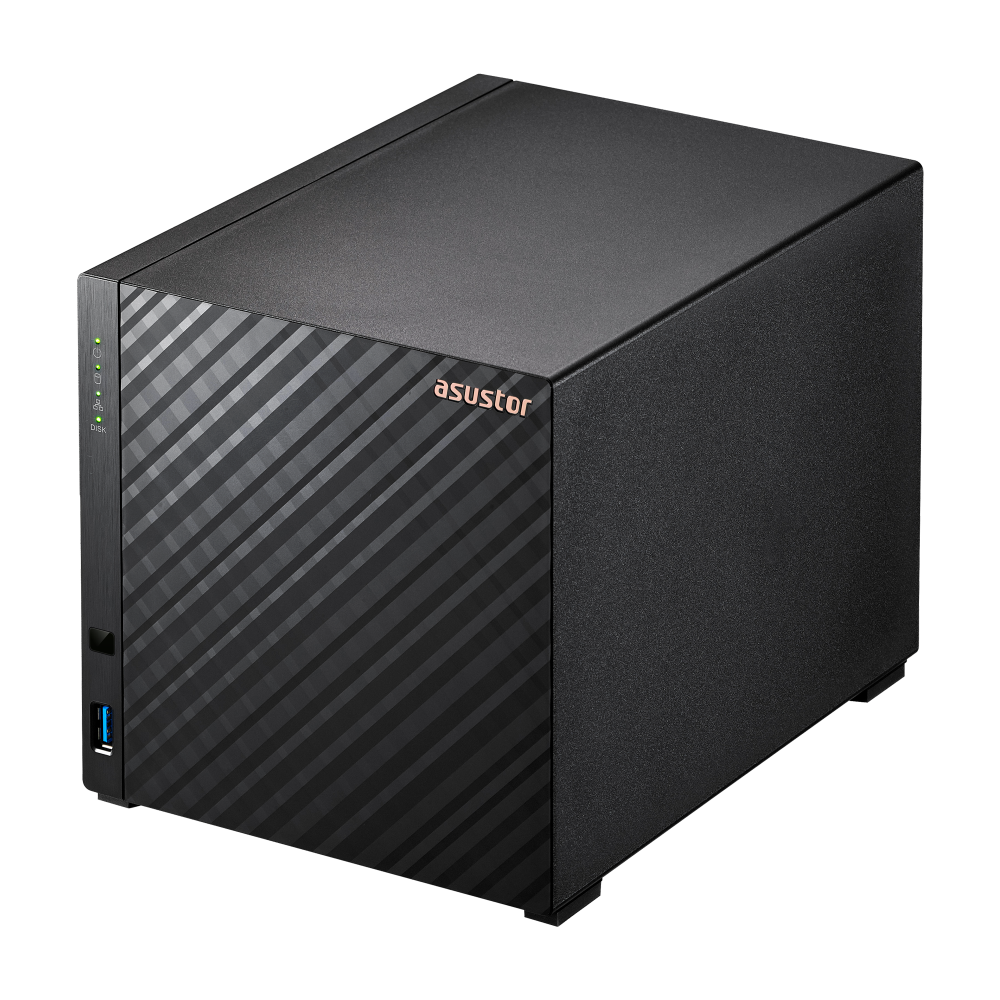
Explore this need in the finder →The ASUSTOR DRIVESTOR 4 Gen2 (AS1204T) is a four-bay desktop NAS with one built-in 2.5GbE port. Its useful distinction is not a faster network interface than its two-bay AS1202T sibling, but two additional native 3.5-inch SATA positions and a broader menu of documented RAID layouts. The unit is diskless, its memory is fixed at 1 GB, and the evidence reviewed here comes from manufacturer documents rather than hands-on testing.
Four native bays, not four included drives
ASUSTOR lists four 3.5-inch SATA HDD positions, one 2.5-Gigabit Ethernet port and three 5-Gbps USB ports. The current hardware table explicitly says hard disks are not included. The English AS12XXT installation guide's AS1204T column lists a power cord, adapter, network cable, cord bracket, sixteen screws for 3.5-inch drives and the guide itself; it lists no data disks. A seller could assemble a different bundle, so verify the exact product and package rather than assuming the manufacturer's base configuration describes the offer in front of you.
Four SATA positions are the relevant count when comparing this enclosure with a two-bay NAS. ASUSTOR also advertises expansion-unit configurations with up to sixteen drive bays, but those are optional external hardware, not extra bays in the AS1204T chassis. The manufacturer's own specification describes expansion storage as independent of the NAS's internal storage. Confirm the supported expansion unit and how its volumes work before treating that option as part of a storage plan.
Choose the array yourself
The exact-model table lists Single, JBOD, RAID 0, RAID 1, RAID 5, RAID 6 and RAID 10. ASUSTOR's RAID calculator includes the AS1204T among four-bay models and says one RAID 1 volume supports at most two disks. In practical terms, a buyer can check two compatible drives and create a mirror while leaving two native bays unoccupied. The manufacturer's guide recommends equal-capacity disks for RAID and warns that initialization erases installed drive data. Back up anything on existing disks before setup, and verify the current AS1204T drive-and-firmware compatibility entry; no exact drive pair was approved in this research.
The four-position chassis also makes larger layouts possible, including the model-listed RAID 5, RAID 6 and RAID 10 options. These are owner-selected storage configurations, not a factory-prepared pool. A four-drive RAID 5, RAID 6 or RAID 10 arrangement occupies all four native positions; a two-drive RAID 1 uses only two. Do not calculate usable capacity by multiplying a drive's label by four: RAID layout, disk sizes and system overhead change the result. A mirror or parity arrangement can help with defined drive failures, but it does not replace a separate backup against deletion, malware, theft, fire or mistakes.
One 2.5GbE port still needs a complete 2.5GbE path
The listed network interface is a single 2.5G/1G/100M port. That is a useful step above the Gigabit port on ASUSTOR's earlier four-bay DRIVESTOR 4 (AS1104T), and the AS1204T shares its 2.5GbE rating with the two-bay AS1202T. But it is not two independent ports that add up to 5Gbps, and the rating is not a file-copy benchmark. The client adapter, router or switch, cable, storage arrangement, protocol and workload all affect the path. If any part negotiates at Gigabit, the NAS cannot make that component faster by itself.
The three USB ports can connect external devices, including a possible backup destination, but an attached disk is not a backup strategy until a separate copy is scheduled and recovery is checked. Internal storage uses EXT4 or Btrfs according to the model page; its Btrfs snapshot feature can support recovery of some prior file states, but snapshots remain on the NAS and do not replace an independently managed copy.
Memory and capacity are the main planning cautions
The product page and datasheet identify a Realtek RTD1619B quad-core processor at 1.7GHz, 1GB of DDR4 that cannot be upgraded, 8GB of eMMC flash, and no M.2 slots. Four bays expand the disk-layout choices, but the fixed memory is a real limit if you expect to run additional services. Compare the exact software requirements of your planned applications before choosing an entry-level appliance for a heavier multi-service role. No workload or application test was performed for this assessment.
Capacity figures need particular care. The current AS1204T hardware page states a 72TB raw maximum based on four 18TB HDDs, while ASUSTOR's Gen2 launch announcement states a 120TB maximum for this model. Those are conflicting manufacturer statements; the compatible-drive listing did not resolve them here. Neither number should be treated as guaranteed usable space for RAID 1, 5, 6 or 10. Ask ASUSTOR which current drive models and limit apply before sizing a volume.
There are smaller specification differences too. The current page lists 1.57kg and 22.8W operation / 9.41W disk hibernation; the English datasheet gives 1.60kg and 21.4W / 8.65W. I could not reconcile their measurement conditions or revisions, so this review does not use either set to predict electricity cost, carrying weight or noise. The installation PDF has another version caveat: its printed line reads Ver. 2.3.0903 (2015-3-2), although the filename and PDF metadata are newer. Its model-specific package list and data-erasure warning are clear, but check the latest official instructions before following a setup procedure.
Who should keep it on the shortlist?
Consider the AS1204T if you want four native 3.5-inch positions, one built-in 2.5GbE port and the option to create a two-drive mirror or choose a larger model-listed RAID layout. It is less suitable if you need expandable memory, M.2 storage, a multiport network design, or a settled maximum capacity before buying disks. ASUSTOR's current support table labels AS1204T Generally Available with software and technical support marked Supported and a three-year warranty field. That is a manufacturer status snapshot, not proof of retailer stock or of the warranty terms attached to a particular U.S. offer. No unique U.S. seller suffix, current price, seller bundle or live inventory was established.
Primary references are ASUSTOR's AS1204T product page and model-specific hardware and software table, the English product datasheet, the AS12XXT quick guide, the ASUSTOR RAID calculator, the product support-status table and the DRIVESTOR Gen2 launch announcement. Conflicting figures, version limits and unknown seller details are left visible rather than harmonized by assumption.
Key specifications
Key details at a glance
| Internal drive bays | 4 bays |
|---|---|
| Documented internal drive media | 3.5-inch SATA HDD |
| Built-in Ethernet ports | 1 x built-in 2.5-Gigabit Ethernet (2.5G/1G/100M) |
| Fastest individual Ethernet port | 2.5 Gbps |
| Installed system memory | 1 GB |
| Maximum listed memory | 1 GB |
| Listed storage arrangements | Single / JBOD / RAID 0 / RAID 1 / RAID 5 / RAID 6 / RAID 10 |
| Internal file systems | EXT4 / Btrfs |
| USB 3.2 Gen 1 ports | 3 |
| Dimensions (H × W × D) | 165 x 164 x 218 mm (H x W x D) |
| Hardware warranty | 3 years |
| Data drives included in listed package | No |
| M.2 NVMe slots | 0 |
| M.2 SSD storage-pool support | No |
| Processor | Realtek RTD1619B |
| CPU cores | 4 |
| Installed memory type | 1 GB DDR4; ASUSTOR marks it not expandable. |
Use the exact model’s instructions for operating limits, supplied equipment and version differences.
Sources for this review
Sources for this assessment
- ASUSTOR DRIVESTOR 4 Gen2 (AS1204T) product page
- ASUSTOR AS1204T hardware and software specification
- ASUSTOR DRIVESTOR 4 Gen2 AS1204T English datasheet
- ASUSTOR AS12XXT Quick Installation Guide, English
- ASUSTOR product support status
- ASUSTOR DRIVESTOR Gen2 U.S.-dollar launch announcement
- ASUSTOR NAS RAID calculator
- ASUSTOR AS1204T exact-model product image

Check your setup before choosing a NAS
Use the finder to check bay count, the network link you need, and whether a documented two-drive redundant arrangement is essential.